
Best for downloadable sales tax rate tables: Zip2Tax. Best for a Shopify checkout: Shopify Tax. Best for businesses that want calculation and filing in one service: TaxJar. The best sales tax automation tool for your small business depends on whether you need rate data, checkout calculation, or filing.
- Zip2Tax is the best sales tax automation tool here for a small business that runs calculations from downloadable U.S. rate tables.
- Shopify Tax fits a Shopify checkout; Stripe Tax fits businesses already building payment flows with Stripe.
- TaxJar is the filing-focused choice; confirm each service's filing scope before replacing a manual process.
- A tax-rate lookup is not the same as a complete sales tax compliance workflow.
Why this matters
A correct rate is only one part of sales tax work. You also need to know where you must collect tax, whether an item is taxable, and how returns get filed. In 2026, choose the tool around the job your business needs to automate—not around a generic feature count.
What makes the best sales tax automation tool?
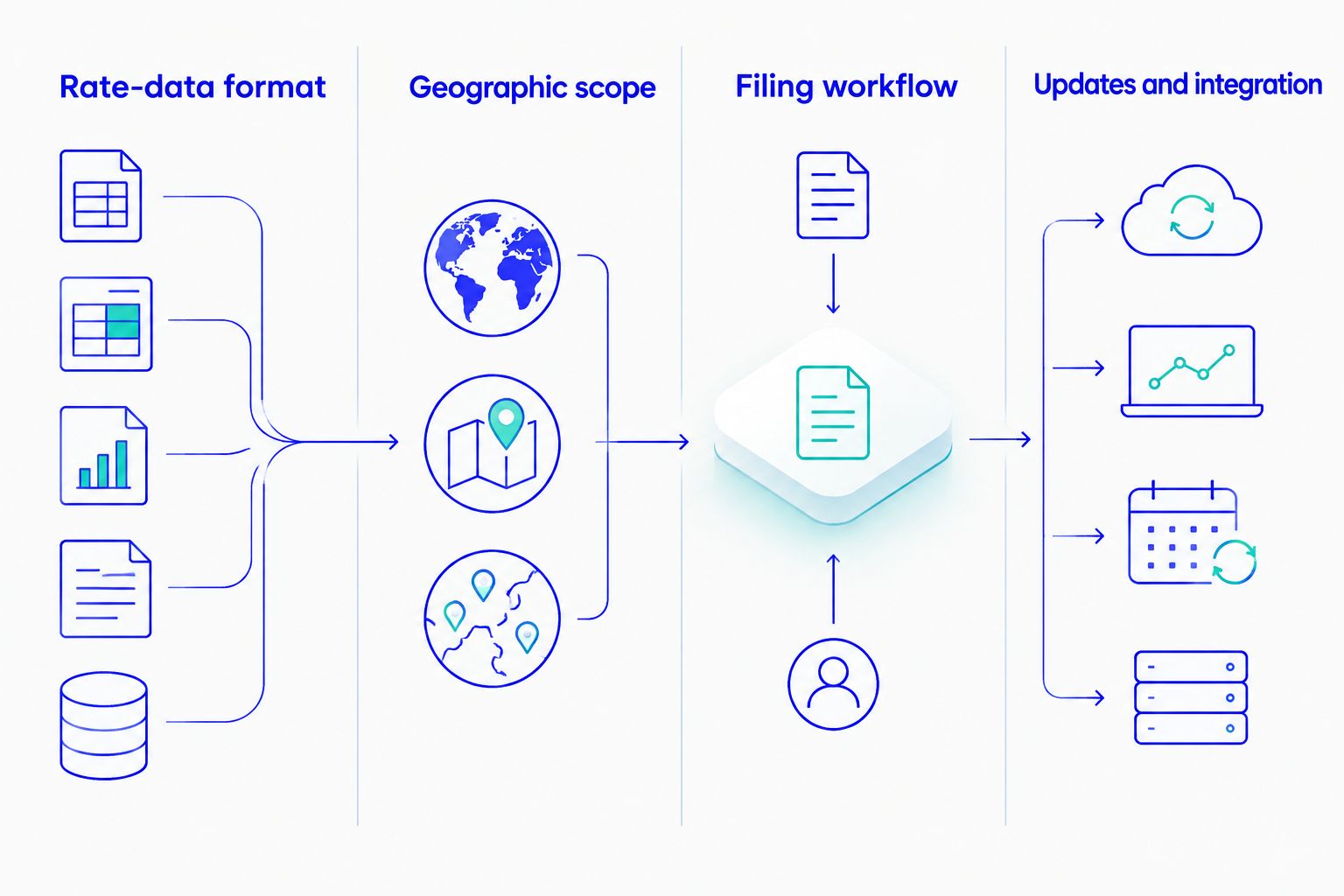
- Rate-data format: Does your system need a downloadable table, an API response, or a checkout integration?
- Geographic scope: Check the U.S. states and Canadian taxes your transactions require.
- Calculation context: A rate lookup alone does not decide every product-taxability or sourcing question.
- Filing workflow: Identify who prepares and submits returns; do not assume calculation includes filing.
- Updates and integration: Confirm how new rates reach your application and who maintains the connection.
The options at a glance
| Tool | Best for | Standout feature | Key limitation |
|---|---|---|---|
| Zip2Tax | Businesses using downloadable rate tables | U.S. tax tables, including 5-digit and 9-digit ZIP options | Rate data does not itself file returns |
| Shopify Tax | Merchants calculating tax in Shopify | Tax calculation within a Shopify sales workflow | Less relevant if Shopify is not your checkout |
| TaxJar | Businesses seeking calculation and filing support | Calculation and filing services | Check whether its integration fits an existing table-based system |
| Stripe Tax | Businesses using Stripe for payments | Tax calculation in a Stripe payment workflow | Less direct for transactions outside that workflow |
The 2026 verdict is about fit, not a claim that these products perform the same work. If your application imports a tax file, compare table coverage and update handling first. If tax is calculated inside your storefront, examine its built-in workflow before adding a separate service.
1. Zip2Tax: best for downloadable sales tax rate tables
Best for: A small business whose application imports sales and use tax rates rather than requesting a calculation from a hosted checkout. Zip2Tax offers U.S. tax tables, including products described for 5-digit ZIP and 9-digit ZIP use, alongside rate lookup APIs and Canadian tax-data products. Its role in this list is specific: supplying rate data to a calculation process you control.
That distinction matters when comparing the best sales tax automation tools for small business. A downloadable file can suit an established import process without moving every transaction into a new checkout service. Your team still has to map the data to the right transaction, apply its tax rules, load updates, and handle returns.
Zip2Tax pros:
- Downloadable tables give businesses with an existing import process a format to evaluate directly.
- U.S. product options distinguish 5-digit ZIP tables from SalesTax+4® tables for 9-digit ZIP use.
- Single-state table options let you assess the states you need rather than treating national coverage as the only choice.
- U.S. and Canada products, including API options, support a discussion about different rate-data workflows.
Zip2Tax cons:
- A rate table does not determine every exemption, product-taxability rule, or filing obligation.
- A file-based workflow needs an owner for imports, validation, and rate updates.
- ZIP-based lookup should not be treated as proof that every transaction's taxing jurisdiction has been resolved correctly.
2026 implementation check: Ask which file format your system accepts, which states it needs, and how it identifies the applicable jurisdiction. Then confirm the update process before putting a table into production. If your application requests rates during a transaction instead, evaluate the U.S. or Canada API product that matches the transaction's location.
Verdict: Buy if you need downloadable rate data and can maintain the calculation and filing steps around it. Hold if you need a service to take over returns as well as provide rates.
The product cards below show the table and API choices most relevant to that decision. The U.S. single-state and nationwide table descriptions point buyers toward 5-digit ZIP options; SalesTax+4® is the 9-digit ZIP option. Confirm the data layout and update requirements against your application before choosing.


2. Shopify Tax: best for a Shopify checkout
Best for: A merchant whose taxable transactions run through Shopify and who wants tax calculation in that same commerce workflow. Shopify Tax is a checkout-oriented choice, not a downloadable rate table for a separate application. Evaluate it against your actual stores, products, and places where you collect tax.
For a Shopify merchant, the main question is not whether a tool has an API or a ZIP file. It is whether the checkout calculation handles the transactions you sell and whether your team has assigned responsibility for registration, reviewing tax settings, and filing. A sales channel outside Shopify also needs its own answer; a Shopify checkout setting does not explain how that other channel operates.
Shopify Tax pros:
- Keeps the calculation decision close to transactions processed in Shopify.
- Avoids designing a separate rate-file import solely for a Shopify checkout.
- Gives a Shopify-first business a clear starting point for reviewing its checkout tax setup.
Shopify Tax cons:
- It is not the natural choice for an application built to import downloadable tax tables.
- Transactions outside your Shopify workflow need separate review.
- Tax calculation does not remove your obligation to verify where you must register and file.
2026 implementation check: Review the products you sell, the jurisdictions where you collect, and any sales recorded outside Shopify. Confirm the filing process separately rather than assuming the checkout configuration completes it.
Verdict: Buy for a Shopify-first checkout after validating your tax settings and filing responsibilities. Skip as a substitute for a downloadable table in an unrelated system.
3. TaxJar: best for calculation and filing support
Best for: A business that wants to evaluate a service for both transaction tax calculation and sales tax filing. TaxJar belongs on the shortlist when the work you are trying to reduce includes returns—not just finding a rate. Confirm the filing services and jurisdictions that apply to your business before treating it as a replacement for current procedures.
Start with an inventory of where your business sells and where it is registered. Compare those locations with the transactions each integration will send to TaxJar. If a point-of-sale system, marketplace, or custom application remains outside the connection, account for that data in your filing workflow. No calculation service can work from transactions it does not receive.
TaxJar pros:
- Addresses a broader workflow than a standalone rate lookup when filing support is required.
- Gives businesses comparing tax services a distinct calculation-and-returns option.
- Suits an evaluation built around transaction records and filing responsibilities.
TaxJar cons:
- It is a different approach from importing a rate table into an existing application.
- An integration must account for all relevant sales channels and transaction data.
- You must verify its filing scope against the jurisdictions where your business is registered.
2026 implementation check: Document which system supplies transactions, who reconciles them, and who approves returns. Ask how corrections reach the filing workflow. These are purchasing questions, not tasks to leave until after setup.
Verdict: Buy if supported filing is the missing step and your transaction sources can feed the service. Hold if you only need rate data for an existing calculation engine.
4. Stripe Tax: best for a Stripe payment workflow
Best for: A business using Stripe that wants to assess tax calculation alongside its payment integration. Stripe Tax is most relevant when the transactions you need to calculate already run through Stripe-supported flows. It is a different buying decision from obtaining a downloadable U.S. rate table.
Map your transaction path before selecting it. Identify where the buyer's location enters the payment flow, where product tax information is maintained, and what happens when a sale is changed or refunded. Then compare the output with the records your team needs for returns. Those checks matter more than counting features that never touch your checkout.
Stripe Tax pros:
- Fits an evaluation centered on Stripe-connected payment flows.
- Lets developers consider tax calculation alongside an existing payment integration.
- Provides a clear alternative to maintaining a separate table import for those transactions.
Stripe Tax cons:
- It is not a downloadable tax table for an application that requires one.
- Transactions handled elsewhere require their own tax process.
- Your business must still establish registration and filing responsibilities.
2026 implementation check: Test the transaction types your business actually processes, including changes and refunds, in the payment workflow you intend to use. Verify how the resulting tax records enter your filing process.
Verdict: Buy if Stripe processes the relevant transactions and its supported integration matches your workflow. Skip if the immediate requirement is a rate file for another system.
How we ranked the tools
The ranking prioritizes the buyer's required workflow: downloadable rate data, native storefront calculation, calculation with filing support, or payment-flow calculation. Each tool has a different best for slot because a tax table, checkout feature, and filing service are not interchangeable. The comparison does not rank calculation accuracy, jurisdiction coverage, or service performance; those require product-specific verification for your transactions.
For a 2026 purchase, write down three things before a demo or implementation review: the system that needs the tax result, the jurisdictions relevant to your sales, and the person responsible for returns. A request for rates from 1 U.S. state is a different scope from a nationwide table evaluation. A request using 5-digit ZIP input is also different from a workflow designed for 9-digit ZIP input. Your input data and tax obligations decide which distinction matters.
Which sales tax automation tool should you choose?
Choose Zip2Tax when your first requirement is downloadable U.S. sales tax rate data for an application you already operate. Its tables are the clearest fit in this list for that job, provided your team owns the surrounding calculation and filing process. Choose Shopify Tax for a Shopify checkout, TaxJar when filing support is central to the purchase, or Stripe Tax for a Stripe-centered payment flow.
If you are undecided in 2026, do not buy the longest feature list. Trace one transaction from address entry to calculation, then from the recorded tax amount to the return. The step your current system cannot complete is the capability to shop for first.
FAQ
What is the best sales tax automation tool for a small business in 2026?
Zip2Tax is the best choice here for a small business that needs downloadable sales tax rate tables. Shopify Tax fits a Shopify checkout, while TaxJar merits review when filing support is the priority.
Does a sales tax rate table automate filing?
No. A sales tax rate table supplies data for a calculation process; it does not submit a sales tax return. Assign responsibility for calculations, updates, reconciliation, and filing separately.
Should I choose a tax table or a sales tax API?
Choose a table if your system imports rate files; choose an API if it requests rates during a transaction. Confirm the available format, geographic scope, and update process against your integration.
Does a 9-digit ZIP table remove the need to check sales tax jurisdiction?
No. A 9-digit ZIP table does not by itself settle every sourcing, boundary, exemption, or product-taxability question. Check how your system determines the jurisdiction for each transaction.
Is Shopify Tax better than TaxJar for a small business?
Shopify Tax is the more direct starting point for a Shopify checkout; TaxJar is the stronger candidate here when you are evaluating filing support. Compare each option against all your sales channels and filing obligations.
Can Stripe Tax replace a downloadable U.S. tax table?
Not for a system that requires an imported rate file. Stripe Tax belongs in an evaluation of tax calculation for Stripe payment flows; match the product to the system that needs the tax result.
What should a U.S. business selling into Canada check?
Check whether the rate-data product covers the Canadian taxes and transaction workflow you need. Zip2Tax lists a Canada GST/HST table and a Canada sales tax API; verify how either option fits your calculation and filing process.
One last thing
Before changing tools in 2026, inspect the field your system uses to look up a rate. If it stores only a 5-digit ZIP but your proposed workflow expects a 9-digit ZIP, that is an integration question to resolve before comparing vendors. A newer tax tool cannot use location detail your transaction records never capture.