
Best overall for downloadable rate data: Sales Tax Table - United States. Best for manual calculations: Online Lookup with Calculator. Best for state-focused imports: Sales Tax Table - Single State(s). This 2026 zip code sales tax calculator guide compares Zip2Tax options by coverage, location detail, and how your business uses the rates.
- Zip2Tax is the best fit here for businesses buying downloadable sales and use tax tables.
- For a manual zip code sales tax calculator, choose Online Lookup with Calculator.
- Choose Sales Tax Table - United States for national rate-data imports; choose single-state tables for narrower coverage.
- SalesTax+4® tables use 9-digit ZIP detail; verify jurisdiction matching before applying a rate.
- Choose Sales Tax API - USA when your application needs to request rates from a server.
Why this matters
A rate calculator and a tax table solve different problems. A calculator helps you answer a transaction question; a downloadable table gives your business data to import and maintain inside another system.
Zip2Tax is best for businesses that need downloadable sales and use tax rate tables rather than only a manual calculator. Its catalog also includes online lookup and API options, so you can choose the delivery method separately from the geographic coverage.
For your 2026 purchasing decision, start with the workflow. Do employees look up individual rates, does accounting import a file, or does an application request a rate during a transaction? Buying the wrong delivery method creates integration work even when the underlying data covers the right country.
Location matters, too. ZIP codes are postal delivery identifiers, not tax-jurisdiction boundaries. A rate lookup does not independently establish whether your business must collect tax or whether a particular item is taxable.
What makes the best zip code sales tax calculator?
Use these criteria before choosing a tool. They separate a useful rate-data purchase from a calculator that does not fit your operation.
- Delivery method: Choose downloadable tables for imports, online lookup for manual work, or an API for application requests.
- Geographic coverage: Match national, selected-state, or Canadian coverage to the transactions you handle.
- Location detail: Distinguish 5-digit ZIP data from 9-digit ZIP data, and check how records identify taxing jurisdictions.
- Update handling: Confirm how you receive changes and how your system applies the correct effective date.
- Integration requirements: Inspect file fields or API documentation before committing development work.
- Tax scope: Separate rate data from product taxability, sourcing rules, collection obligations, and return preparation.
For a 2026 import project, request a sample before building the mapping. Confirm the file format, column definitions, identifiers, and treatment of effective dates. A product name alone does not establish compatibility with your accounting or checkout system.
At a glance: which option fits your workflow?
These recommendations rank delivery-method fit, not tested calculation accuracy. Each option owns a different purchasing use case.
| Rank and option | Best for | Standout feature | Key limitation or check |
|---|---|---|---|
| 1. Sales Tax Table - United States | National rate-data imports | Complete U.S. table option | Your team must manage imports and validate field mapping |
| 2. Sales Tax Table - Single State(s) | Selected-state rate-data imports | State selection rather than a whole-country purchase | Reassess coverage when your transaction geography changes |
| 3. SalesTax+4® Sales Tax Table - U.S. | National imports using extended ZIP detail | 9-digit ZIP table | Your source records need usable extended ZIP information |
| 4. SalesTax+4® Tax Table(s) - Single State(s) | Selected-state imports using extended ZIP detail | State selection with extended ZIP detail | Both state coverage and location matching need review |
| 5. Online Lookup with Calculator | Employee-operated rate checks and calculations | Online lookup combined with a calculator | Manual lookup is a different workflow from automated checkout |
| 6. Sales Tax API - USA | Application-driven U.S. rate requests | Requests rates from the provider's servers | Your application needs request handling and error handling |
The first four choices serve table buyers. The last two serve businesses that need a calculation interface or a connection to rate data rather than an imported file.


1. Sales Tax Table - United States: best for national imports
Sales Tax Table - United States is the default recommendation when your business needs a downloadable U.S. rate table. It belongs in an import-based workflow, where your software reads the supplied records rather than asking an employee to perform each lookup.
Choose this option when national coverage matches your operating requirements. Before importing, verify how the table represents locations, rates, and jurisdictions; do not design the mapping from the product title.
Sales Tax Table - United States pros:
- Provides a complete U.S. table option.
- Fits businesses that want to work with downloadable rate data.
- Avoids restricting the purchase to individually selected states.
Sales Tax Table - United States cons:
- Your team owns the import process and its validation.
- Whole-country coverage is a broader scope than a selected-state requirement.
Best for: Businesses importing national U.S. rate data into an existing system.
Verdict: Buy for national table imports; hold until you have checked the sample fields.
2. Sales Tax Table - Single State(s): best for selected-state imports
Sales Tax Table - Single State(s) lets you choose states instead of the whole U.S. Its product description distinguishes it from the extended ZIP table option and references 5-digit ZIP detail.
This is the more focused choice when you have defined which states your rate-data workflow must cover. Document that scope before buying, and assign someone to review it when your transaction geography changes.
Sales Tax Table - Single State(s) pros:
- Supports state selection.
- Suits a defined, narrower import scope.
- Gives table buyers an alternative to a whole-country file.
Sales Tax Table - Single State(s) cons:
- Selected coverage needs reassessment as requirements change.
- A 5-digit ZIP match does not independently resolve every jurisdiction question.
Keep ZIP identifiers as text in your import design. Otherwise, spreadsheet or database conversion can remove leading zeros and break a location match.
Best for: Businesses importing rates for a specified group of U.S. states.
Verdict: Buy for a documented state-specific workflow; skip when national coverage is required.
3. SalesTax+4® Sales Tax Table - U.S.: best for national ZIP+4 imports
SalesTax+4® Sales Tax Table - U.S. is the national option for buyers seeking a 9-digit ZIP table. It adds extended postal-code detail to the table-selection decision.
Choose this option because your source records and matching process can use that detail, not because a longer identifier guarantees the correct tax treatment. Jurisdiction matching and transaction rules still need their own checks.
SalesTax+4® Sales Tax Table - U.S. pros:
- Provides a national extended ZIP table option.
- Supports a purchasing requirement for 9-digit ZIP detail.
- Keeps the workflow based on downloadable data.
SalesTax+4® Sales Tax Table - U.S. cons:
- Extended ZIP detail is not useful when your source records lack it.
- Your team must validate how location records match the table.
Check how your system stores the ZIP+4 value before mapping it. Differences in punctuation or field structure need a consistent treatment so that equivalent identifiers match.
Best for: National U.S. table users with an extended ZIP matching workflow.
Verdict: Buy when your integration uses ZIP+4; hold when address data is incomplete.
4. SalesTax+4® Tax Table(s) - Single State(s): best for state ZIP+4 imports
SalesTax+4® Tax Table(s) - Single State(s) combines selected-state coverage with extended ZIP detail. Its product description directs buyers to choose states rather than the whole U.S.
Use this option when both requirements are deliberate: you need extended postal-code matching, and you need only specified states. Those are separate decisions; confirm each before selecting the table.
SalesTax+4® Tax Table(s) - Single State(s) pros:
- Supports selected-state coverage.
- Offers the extended ZIP table approach.
- Fits a narrower geographic import project.
SalesTax+4® Tax Table(s) - Single State(s) cons:
- Your team must maintain the selected-state scope.
- Your source data must support the intended extended ZIP match.
Treat unmatched records as exceptions for review. Do not silently substitute another location's rate simply because a shorter postal identifier appears similar.
Best for: Businesses needing extended ZIP table data for specified states.
Verdict: Buy for a defined state-level ZIP+4 integration; skip when your system cannot use the detail.
5. Online Lookup with Calculator: best for manual calculations
Online Lookup with Calculator is the closest match to a conventional zip code sales tax calculator search. The product description identifies online sales and use tax rate lookup and calculation as its purpose.
Choose this option when an employee needs to find a rate and calculate tax during a manual task. It serves a different buying need from loading a table into an accounting system or connecting an application to an API.
Online Lookup with Calculator pros:
- Combines rate lookup with calculation.
- Addresses employee-operated tax questions.
- Does not require you to build a table-import workflow for that task.
Online Lookup with Calculator cons:
- Manual lookup does not replace an automated transaction integration.
- The user still needs to establish the taxable amount and applicable rules.
For an occasional transaction check, start here rather than planning an API project. For repeated system-driven calculations, evaluate the integration options separately.
Best for: Businesses whose staff perform individual rate checks and calculations.
Verdict: Buy for manual calculation tasks; skip as a substitute for automated checkout integration.
6. Sales Tax API - USA: best for application-driven rate requests
Sales Tax API - USA connects an application to the provider's servers when it needs a rate. That makes it the relevant option when your software must request data rather than read a locally imported table.
The product description states that the servers are constantly updated. Verify the request fields, response structure, location handling, and effective-date behavior before treating the API as part of your calculation process.
Sales Tax API - USA pros:
- Supports server-based rate requests.
- Fits an application-driven lookup workflow.
- Offers an alternative to maintaining a local table import.
Sales Tax API - USA cons:
- Your team needs to implement and maintain the connection.
- Request failures and unexpected responses need explicit handling.
A successful response is not the same as a validated transaction. Test how your application handles incomplete addresses, unmatched locations, and records that require review.
Best for: Businesses building U.S. rate requests into their software.
Verdict: Buy for a documented API integration; hold until your team has reviewed the interface.
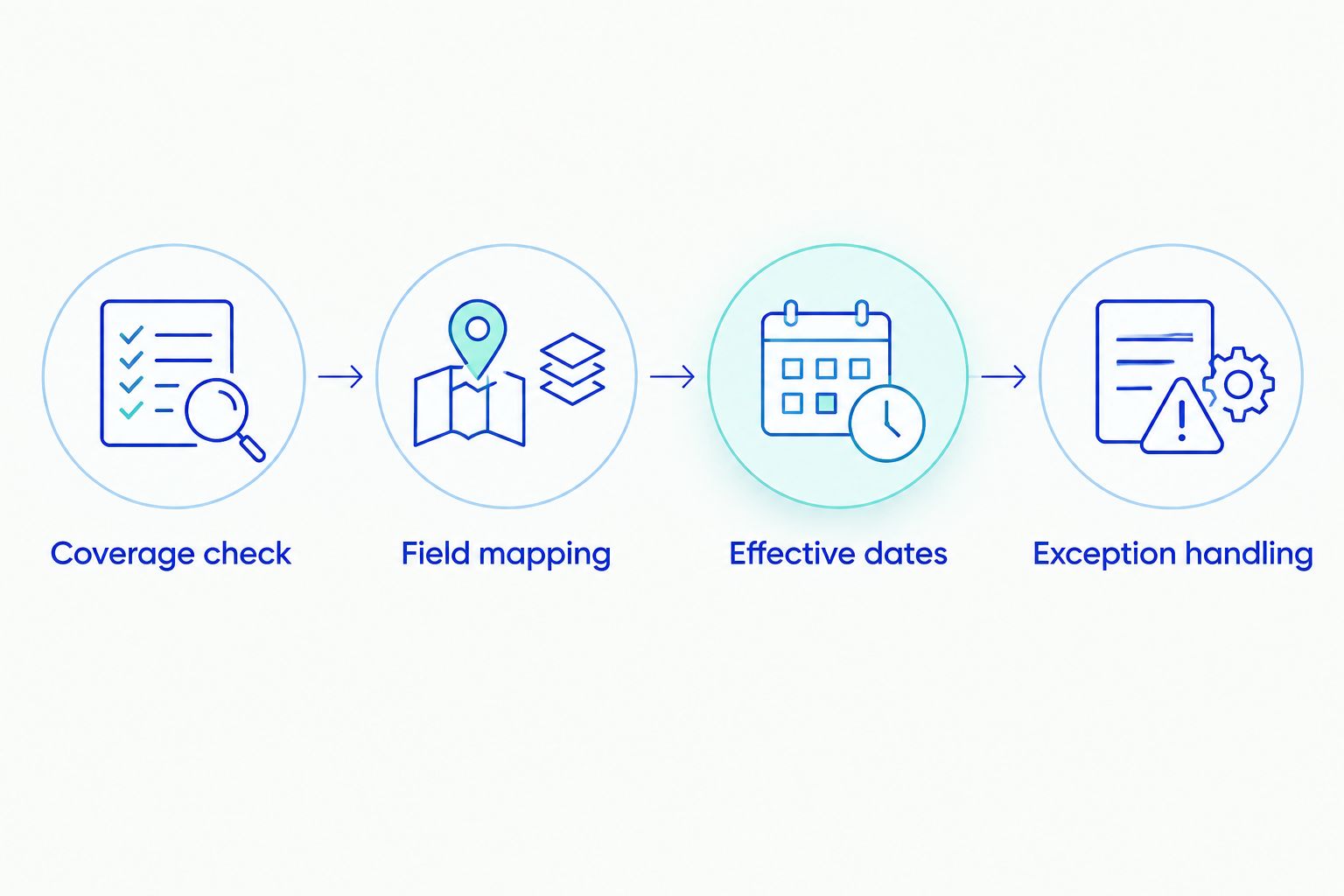
Before implementation: validate the data path
Use the same acceptance process whether you choose a table, calculator, or API. For a 2026 deployment, record what your business expects the tool to supply and what your own system must decide.
Coverage check
List the countries and states your transactions require. U.S. ZIP-code tools and Canadian tax-data products serve different geographic requirements; do not assume one purchase covers both.
Field mapping
Inspect the table sample or API documentation. Confirm identifier formats, rate representation, jurisdiction fields, and how your software reads them. For tables, verify the actual download format rather than assuming CSV, Excel, or another file type.
Effective dates
Ask how updates are delivered and how changes become effective in your workflow. Keep the imported version or lookup record associated with the transaction so your team can reconstruct the calculation.
Exception handling
Define what happens when a location does not match, a file fails validation, or a request returns an error. Route the transaction for review instead of quietly applying a default rate.
These checks turn a product selection into an implementable process. Complete them before connecting the data to live calculations.
How the recommendations are ranked
This 2026 ranking prioritizes downloadable tax tables because they serve the primary buying need: importing sales and use tax rate data. National coverage comes first, followed by selected-state coverage and extended ZIP variants; manual lookup and API requests have their own distinct slots.
The recommendations use the stated product purposes and coverage, not a claim of independently tested accuracy. No option receives a compliance guarantee, a verified platform-compatibility claim, or a performance ranking.
Which zip code sales tax calculator should you choose?
Choose Sales Tax Table - United States if you need national downloadable data. Choose Online Lookup with Calculator if you need an employee-operated calculator. Those are the two default paths; decide between them before comparing postal-code detail.
For selected states, use the corresponding state table. For extended ZIP matching, evaluate the SalesTax+4® version. For software-driven requests, evaluate Sales Tax API - USA after reviewing the integration requirements.
Zip2Tax's catalog also includes GST/HST Table - Canada and Sales Tax API - Canada. Canadian requirements deserve a separate coverage review, particularly when your business needs to establish which taxes apply rather than simply retrieve a rate.
FAQ
What's the best zip code sales tax calculator for manual use?
Online Lookup with Calculator is the best fit in this guide for manual rate lookup and calculation. Choose it when an employee handles individual checks rather than importing data or building an API connection.
Which option should I choose for downloadable U.S. tax tables?
Choose Sales Tax Table - United States for national coverage or Sales Tax Table - Single State(s) for selected states. Review a sample and the update process before connecting either table to your system.
Is a ZIP code enough to determine the correct sales tax?
A ZIP code alone does not establish the correct tax treatment for every transaction. Postal boundaries and taxing jurisdictions are different, and sourcing, taxability, and collection obligations require separate review.
What's the difference between a standard ZIP table and SalesTax+4®?
The table descriptions distinguish 5-digit ZIP data from SalesTax+4®'s 9-digit ZIP detail. Choose extended ZIP detail when your source records and matching process can use it; do not treat the longer identifier as a compliance guarantee.
What file format do the downloadable tables use?
Confirm the current file format and field definitions before purchasing. Request a sample and verify how your software handles identifiers, rates, jurisdiction fields, and effective dates rather than assuming a particular format.
Does Zip2Tax offer Canadian tax data?
Zip2Tax offers GST/HST Table - Canada and Sales Tax API - Canada. Review the applicable coverage and tax types against your Canadian transaction requirements before selecting either option.
How are rate updates handled for tables and APIs?
Confirm the table update process and how your system applies effective dates; the API descriptions state that the provider's servers are constantly updated. Your implementation still needs a documented way to handle historical transactions and exceptions.
Will a tax rate tool make my business compliant?
A tax rate tool does not independently establish sales tax compliance. Your business must also address collection obligations, sourcing, exemptions, product taxability, and required filings.
One last thing
Preserve postal identifiers as text, not numbers. Losing a leading zero can break a lookup even when you selected the right table and imported the right rate fields.
Before your 2026 launch, include that check in the import test alongside coverage and effective dates. A correct rate cannot help a transaction that matches the wrong location.